Once Kernel is built wrong, it can't boot up, or you delete /bin/ some files by accident, nothing can run, even ls command, DON'T BE panic.. You can use tftp to reboot from other PC.
First you have one Linux PC which tftp is installed and enabled.
Then you can put compiled Kernel and root file system to Linux PC, BBB board can boot from this PC with Kernel and root file system.
After BBB board is powered on, press enter key quickly, it will enter u-boot mode, you need to set BBB board local IP address, Linux PC server IP address and tftp boot command. Something like:
Linux PC IP address:
setenv serverip 192.168.2.99
BBB board IP address
setenv ipaddr 192.168.2.97
Linux Kernel, you need to put Kernel uImage file at /tftpboot
tftp 0x80200000 uImage-dtb.am335x-boneblack
u-boot will download Kernel image to BBB board.
Set root file system, nfs service is installed and enabled at Linux PC
setenv bootargs console=ttyO0,115200n8 root=/dev/nfs rw nfsroot=192.168.2.99:/home/bsang/sang/robot/bbb/rootfs ip=192.168.2.97:::::eth0
boot BBB board
bootm 80200000
Congratulation! Your BBB board is still working. You can new Kernel to BBB or you can upgrade root file system. Your life is saved.
Thursday, October 15, 2015

Sunday, September 20, 2015
NezaRobot H/W: Power supply
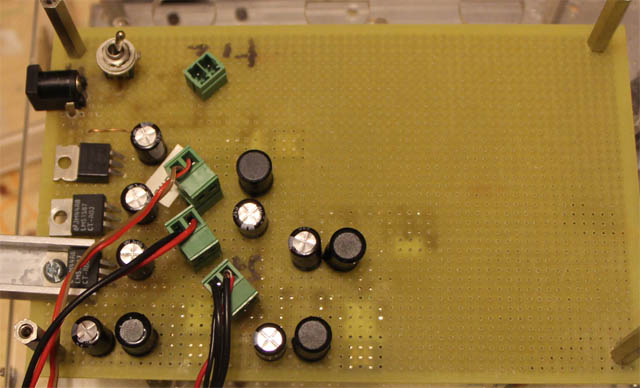
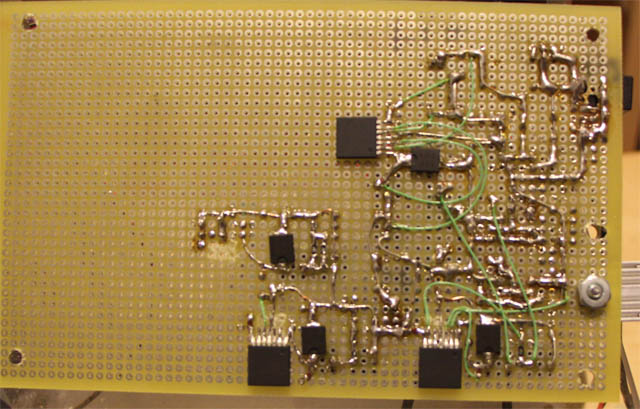
NezaRobot Power supply:
1) Input: +12VDC
2) Output:
a: +3.3V (ez430 board, CAN bus)
b: +5.0V (BBB board)
c: +6.0V (Servos)
d: +12.0V (Motors)


1) Input: +12VDC
2) Output:
a: +3.3V (ez430 board, CAN bus)
b: +5.0V (BBB board)
c: +6.0V (Servos)
d: +12.0V (Motors)
Monday, September 14, 2015
NezaRobot H/W: ez430 - CAN bus board
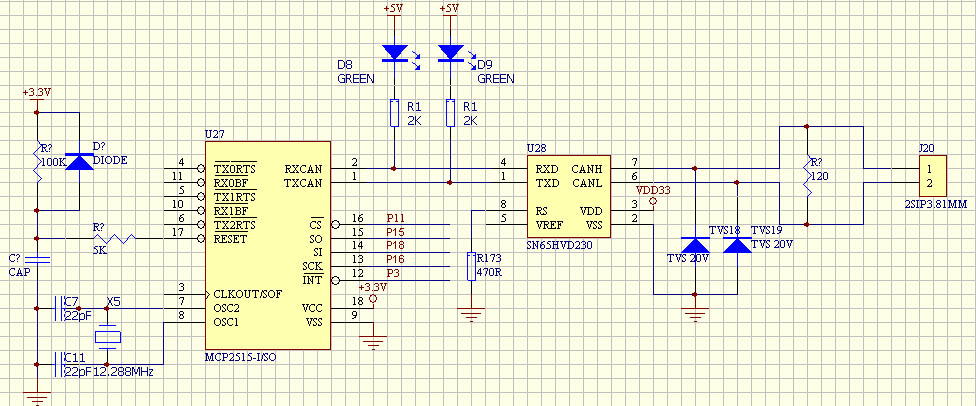
Figure 1: CAN Bus of ez430 schematic
As showed above figure, MCP2515 is a stand-alone CAN controller with SPI interface. ez430 connects to MCP2515 through SPI interface to put in CAN bus devices to send and receive command to/from BBB board. MCP2515 supports CAN V2.0B at 1Mb/s.
MCP2515 output is TTL (+3.3V) level, a transceiver is required to convert TTL level to CAN bus standard. I use SN65HVD230, it is 3.3V CAN transceivers.
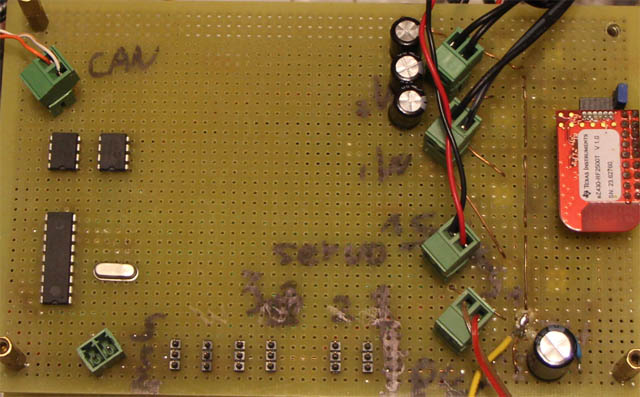
Figure 2: ez430 and CAN Bus board
ez430 board is used to control 2 motors, speed and direction through CAN bus connected to BBB board.
Sunday, September 13, 2015
NezaRobot HW: BBB board connection

In NezaRobot, I only use BBB to control 6 servos and 1 CAN bus and USB WIFI.
6 PWM:
ehrpwm0A-0B, 1A-1B, 2A-2B, 3 groups PWM timer.
1 CAN Bus:
CAN bus needs a converter to convert +3.3V level to CAN bus standard.
1 serial port:
It is for debugging
Other pins are not used.
I use KiCAD for draw electronic schematics. It is open source and free.
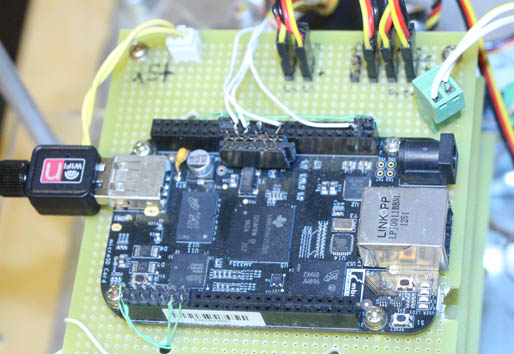
From above figure, BBB has +5.0VDC connector, 1 USB WIFI, Serial port, CAN Bus, 6 PWM servo controllers.
Thursday, September 10, 2015
BBB: Kernel - CAN Bus support
BBB board has two CAN bus, can0 is enabled by default. For NezaRobot, one CAN bus is enough. It is used to communicate to ez430 board to send out motor control command.
Oscillator of BBB CAN bus clock used is 20MHz, but I can't find the same frequency oscillator, before I have one board from other project which oscillator is 12.288MHz, no matter what register to configure, it is very difficult to match with 20MHz, communication sometimes is lost, finally I found one 24MHz oscillator from my old video card. Then configure CAN bus register, both are exactly matched.
#enable CAN device
echo BB-DCAN1 > /sys/devices/bone_capemgr.9/slots
#configure bitrate to be 300Kbps
./canconfig can0 bitrate 300000
#network up
ifconfig can0 up
Oscillator of BBB CAN bus clock used is 20MHz, but I can't find the same frequency oscillator, before I have one board from other project which oscillator is 12.288MHz, no matter what register to configure, it is very difficult to match with 20MHz, communication sometimes is lost, finally I found one 24MHz oscillator from my old video card. Then configure CAN bus register, both are exactly matched.
#enable CAN device
echo BB-DCAN1 > /sys/devices/bone_capemgr.9/slots
#configure bitrate to be 300Kbps
./canconfig can0 bitrate 300000
#network up
ifconfig can0 up
Wednesday, September 9, 2015
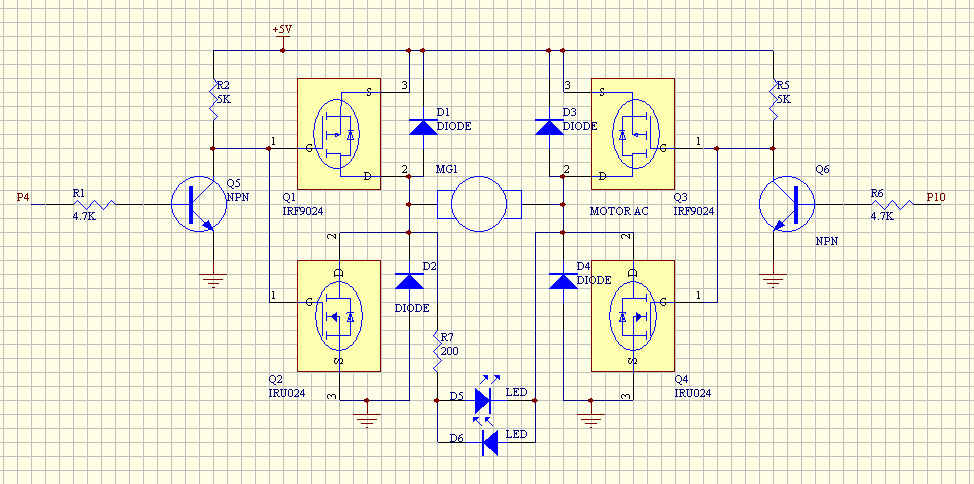
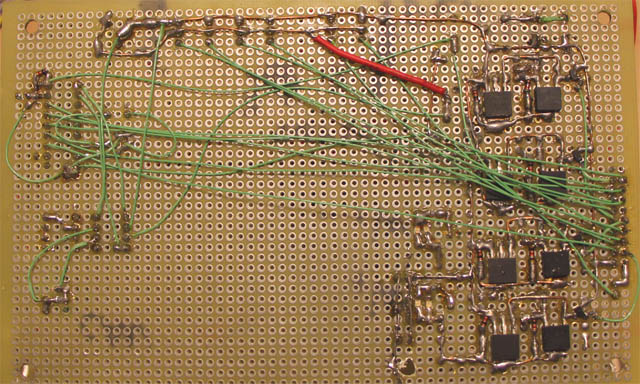
NezaRobot H/W: H-Bridge motor control
Thursday, September 3, 2015
Subscribe to:
Posts (Atom)